Fixing DStv CatchUp & BoxOffice Problems
Is your DStv Explora failing to load CatchUp titles, showing missing BoxOffice movies, or hanging during downloads? Here is a breakdown of why this happens and how to get it working.
DStv CatchUp & BoxOffice Troubleshooting Guide
Basic Troubleshooting Steps You Can Try:
- Reboot the Explora Decoder: Unplug power cord for 30 seconds, reconnect, and wait 10 minutes for satellite guide tables to reload.
- Inspect Coaxial Cable Connections: Check that the cable connected to the ‘Unicable / LNB In’ port is tightly screwed in.
- Check Signal Quality on Tuner 3: Access System Settings -> Tuner Status. CatchUp downloads run strictly on Tuner 3.
- Verify Active Subscription: Ensure your MultiChoice account status is active with no outstanding fees.
Still Having CatchUp Issues?
If your Tuner 3 signal quality is below 85%, DIY adjustments will not solve the issue. Our accredited MultiChoice technicians use high-precision digital spectrum analyzers to align your dish and replace faulty Smart LNBs on the spot. Call 078 998 0571 for same-day service.
Common Questions & Expert Answers
Why is DStv CatchUp not downloading or updating on my Explora?
CatchUp requires a continuous, high-quality satellite signal on Tuner 3, as well as an active DStv Premium, Compact Plus, or Compact package. If your Smart LNB is failing or dish alignment is off by even 2 millimeters, CatchUp background downloads will freeze.
How can I check if my CatchUp signal is working?
On your Explora remote, press the Help button, go to Settings -> System Information -> Signal Status. Verify that Tuner 3 signal strength is above 75% and Signal Quality is above 90%. If quality is low or fluctuating, your LNB skew angle or dish alignment needs professional adjustment.
What should I do if BoxOffice movies won’t rent or show error code E107-4?
E107-4 indicates a subscription or account linking delay. Restart your decoder by unplugging from wall power for 30 seconds. Ensure your Extra View heartbeats are intact. If the error persists after reboot, signal misalignment is preventing decoder authorization.
Recent Work & Hardware Gallery
Take a look at authentic installations, decoder configurations, and specialized equipment deployed by Vitcom Holdings technicians.
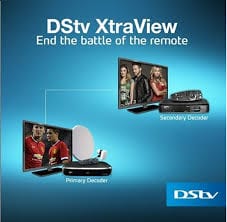
DStv Extra View Setup
Multi-room Explora and HD decoder linking with Smart LNB technology.
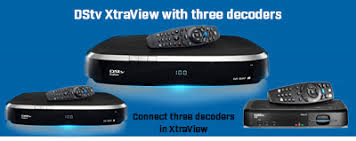
Triple View MultiChoice Setup
3 decoders linked under 1 subscription with independent room viewing.
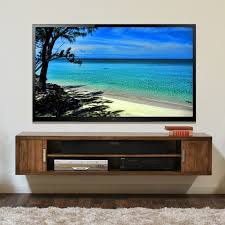
Flush TV Wall Mounting
Clean wall bracket installation with fully concealed wiring and cable management.
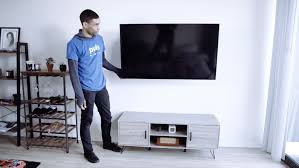
Smart TV Feature Wall Setup
Precision wall mounting on tile, brick, or drywall with soundbar configuration.
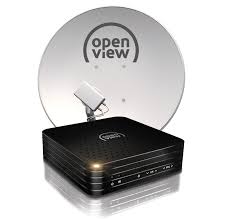
OpenView HD Satellite Dish
Complete satellite dish installation for subscription-free HD television.
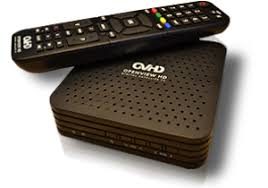
OpenView Decoder Programming
Fast activation and remote setup for crystal clear channel reception.
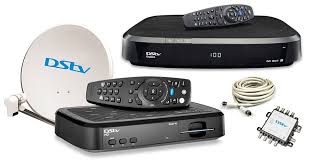
Communal Multiswitch Cabling
Professional multi-dwelling unit (MDU) distribution for estates and apartments.
Select Your Location
Choose a province below to view city buttons, or use the quick dropdown selector to jump directly to your area.