Fixing DStv Error E48-32 No Signal
E48-32 is South Africa’s most frequent DStv error message. It indicates that your decoder is receiving zero satellite signal from the dish or LNB. Here is how to fix it.
How to Fix DStv Error E48-32 (No Signal Message)
Quick Check Checklist for E48-32:
- Check Weather Conditions: If heavy rain is overhead, wait 15 minutes for the cloud cover to dissipate.
- Check Cable Plugs: Ensure the LNB / Unicable cable is tightly screwed into the back of your decoder.
- Inspect Outside LNB: Look at your satellite dish to see if the plastic LNB cap is cracked, waterlogged, or hanging loose.
- Verify Dish Obstructions: Ensure overgrown tree branches are not blocking the dish line-of-sight toward the North-East sky.
Fast Signal Alignment & LNB Replacement
If basic checks do not clear E48-32, your dish alignment or LNB requires professional calibration using digital signal meters. Contact accredited Vitcom Holdings installers at 078 998 0571 for fast same-day repair.
Common Questions & Expert Answers
What does DStv Error E48-32 mean?
Error E48-32 states ‘There is no signal. This may be due to bad weather or a faulty connection’. It means satellite communication between the satellite dish in the sky and your decoder tuner is interrupted.
Can bad weather cause E48-32 to fix itself automatically?
Yes. Severe thunderstorms, dense cloud cover, or heavy rain cause temporary ‘rain fade’. Once the storm passes, signal should restore within 5 to 10 minutes.
What if E48-32 stays on screen during clear sunny weather?
If weather is clear, E48-32 is caused by a shifted dish, damaged LNB, loose F-connector plugs, or broken coaxial cables. Inspect cable joints at the back of the decoder.
Recent Work & Hardware Gallery
Take a look at authentic installations, decoder configurations, and specialized equipment deployed by Vitcom Holdings technicians.
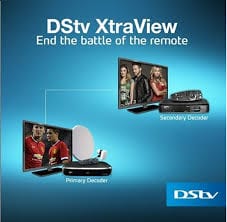
DStv Extra View Setup
Multi-room Explora and HD decoder linking with Smart LNB technology.
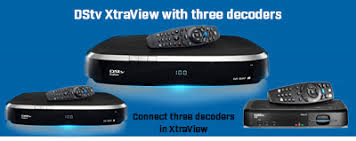
Triple View MultiChoice Setup
3 decoders linked under 1 subscription with independent room viewing.
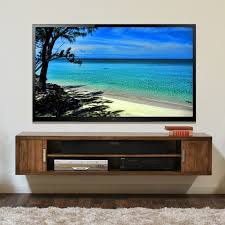
Flush TV Wall Mounting
Clean wall bracket installation with fully concealed wiring and cable management.
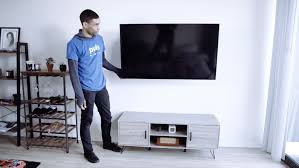
Smart TV Feature Wall Setup
Precision wall mounting on tile, brick, or drywall with soundbar configuration.
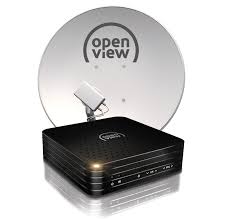
OpenView HD Satellite Dish
Complete satellite dish installation for subscription-free HD television.
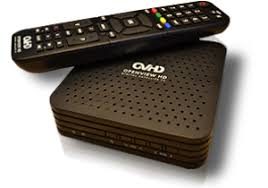
OpenView Decoder Programming
Fast activation and remote setup for crystal clear channel reception.
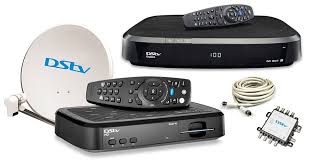
Communal Multiswitch Cabling
Professional multi-dwelling unit (MDU) distribution for estates and apartments.
Select Your Location
Choose a province below to view city buttons, or use the quick dropdown selector to jump directly to your area.